MB WhatsApp Download
¡Download MB WhatsApp and enjoy amazing features! Hide your online status, use cool themes, share files easily with your friends, and better control your chats. Customize WhatsApp to your liking.
App Information
com.mb-ios
All system resources
Your contacts
Your internet connection
View DMCA information at MBWhatsup.com
View Privacy Policy at MBWhatsup.com
Extra features for WhatsApp
This app is not made by WhatsApp Inc. or Meta
95 MB
Contact Mbwhatsup.com for help
Learn more about MBWhatsup.com
2.2611.02.0
30+
Free
Main website source: https://mbwhatsup.com
People connect through messaging apps in the digital world. Apps like WhatsApp, Telegram, Signal and Viber are very popular worldwide. People prefer them because they use end-to-end encryption. This keeps your messages safe and private.
Many users prefer MB WhatsApp, especially those who already use WhatsApp. MB WhatsApp is an enhanced version of WhatsApp. It offers advanced privacy, security, and customization features.
MBWhatsup.com provides the latest version of MB WhatsApp iOS with ban protection. We verify the safety of MB WhatsApp using tools like VirusTotal and others. We make sure you get a version without errors and viruses.
Download MB WhatsApp (2026) updated and enjoy features like message scheduling, auto-reply, built-in app lock, and theme customization. Let’s explore more about MB WhatsApp!
What is MB WhatsApp?
MB WhatsApp is a messaging app. It gives you extra features and ban protection. Like other messaging apps, you can send and receive messages. You can make voice and video calls. But it has better privacy options.
You can do more with it. You can schedule messages. You can read deleted messages. You can set up auto-replies. These are just a few features. You get more control over your chats and more freedom.
MB WhatsApp works like WhatsApp, but it’s better and more powerful. You can customize its appearance, using different themes and colors. Your chat experience becomes more personal and unique.
The app is safe to use. We have verified it for viruses and errors. You don’t need to worry about security. Download it from MBWhatsup.com and enjoy all the benefits.
Now let’s see why people love MB WhatsApp.
Why do users use MB WhatsApp?
Users choose MB WhatsApp because it has many advanced features. The official app doesn’t have these features. Here are the main benefits:
- Message Translator: Translate messages into different languages
- No Ads: Use the app without annoying ads
- App Lock and Chat Lock: Keep your apps and chats secure
- Send High-Quality Files: Share multimedia without limits or quality loss
- Status Downloader: Download status updates from your friends
- Voice Changer: Change your voice in voice messages
- Larger File Size: Send larger files than the official app allows
- Hide Your Online Status: Show that you’re offline even when you’re online
- Custom Themes: Use many themes and colors to customize your app
- Message Scheduling: Send messages at the time you choose
- Read Receipt Control: Hide when you read messages
- Disappearing Messages: Set messages to be deleted automatically
These features give you more control, more customization, and a better messaging experience. Download MB WhatsApp from WWW.MBWhatsup.com today.
Explore more features and guides
- How to Schedule Messages in MB WhatsApp Easily
- How to use MB WhatsApp Ghost Mode?
- MB WhatsApp Customization Features Guide
- How to share large files on MB WhatsApp?
- How to remove the forwarded label in MB WhatsApp?
How to Download and Install MB WhatsApp on Android?
First, check these things:
- Your phone has at least 300MB of free space
- Your Android version is 5.0 or higher
Then follow these steps:
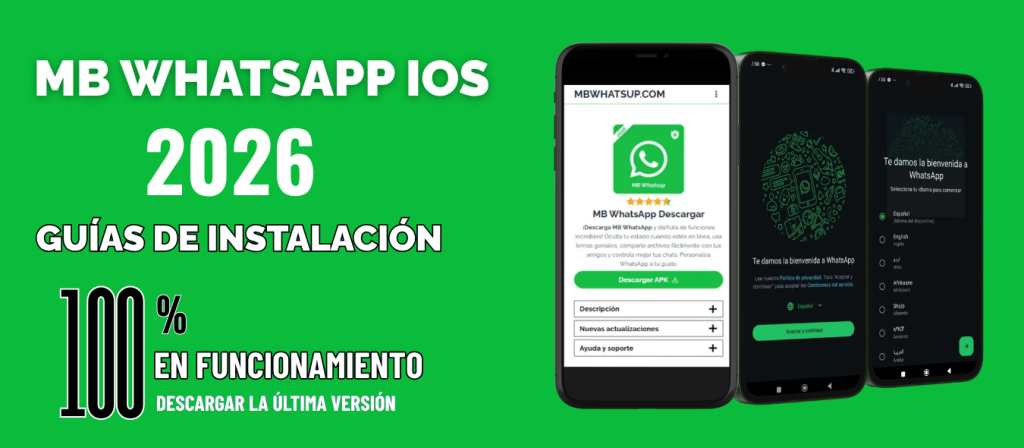
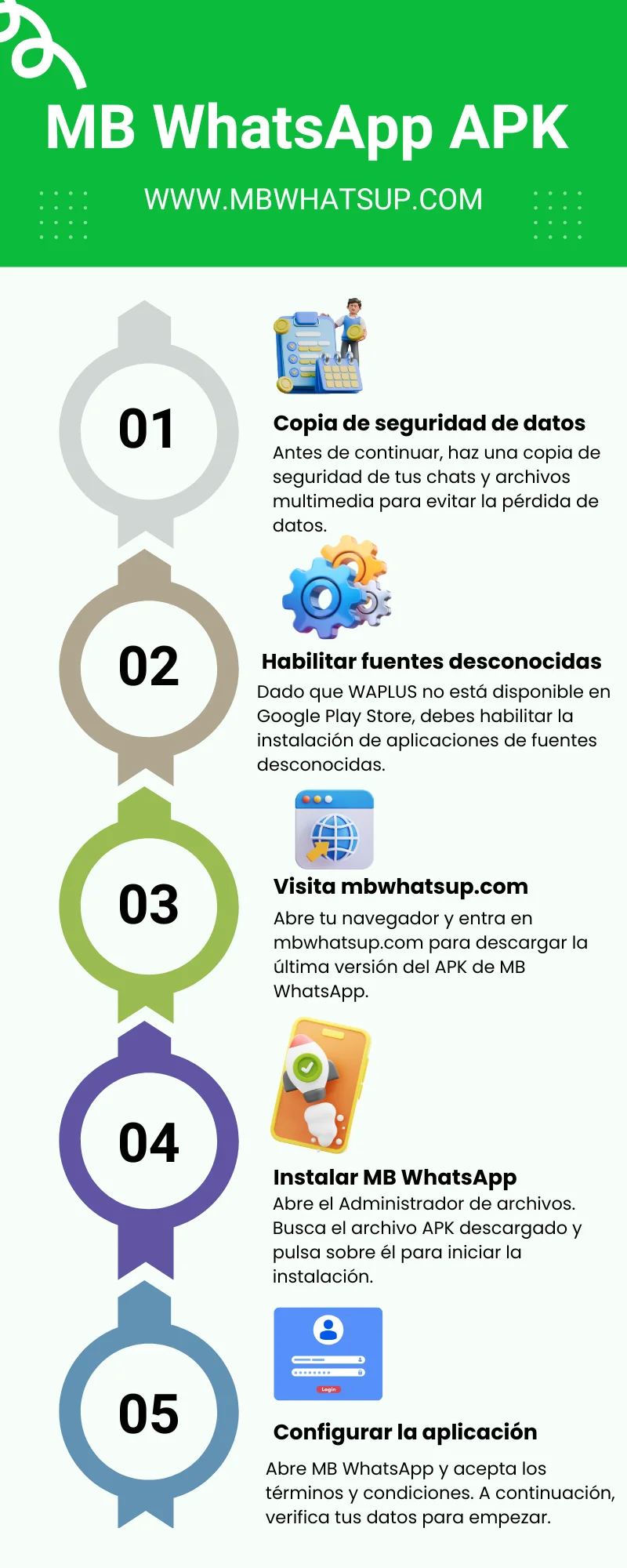
- Click the download button. Download the MB WhatsApp APK file from MBWhatsup.com.
- Go to the Play Store. Disable Google Play Protect.
- Open your phone settings. Enable installation from unknown sources.
- Open your file manager. Find the APK file you downloaded.
- Tap the file. Press Install.
The app will install now. Done!
After Installation:
- Open MB WhatsApp on your phone
- Log in with your phone number
- Restore your backup if you have one
- Start using all the amazing features
Important Notes:
- Always download from MBWhatsup.com for safe files
- We scan files for viruses and errors
- Your data is safe
- You can use all features at no cost
Enjoy MB WhatsApp now!
Check how to download and install MBIOS on iPhone.
How to Update MB WhatsApp to the Latest Version (3.2.0)
Follow these steps to update MB WhatsApp:
- Open your MB WhatsApp app
- Tap the three dots (menu) at the top
- Select «MB WhatsApp Update»
- Tap «Check for updates»
- Please wait a moment. The app will search for a new version.
- If a new version is available, it will appear on your screen. Otherwise, you will see a message that you have the latest version.
Done!
If the Update Option Doesn’t Appear:
Sometimes the «MB WhatsApp Update» option doesn’t appear. This happens when your version is very old. In this case, download the latest version from MBWhatsup.com. Before installing it:
- Uninstall the previous version of MB WhatsApp
- Make a backup of your data. This saves your chats and media files.
- Download the new APK from MBWhatsup.com
- Install the new version
MB WhatsApp Developers
MB WhatsApp is not made by a single official company. Many independent developers create and update their own versions. Each version has additional features, themes, and privacy tools. Each developer updates their version separately.
Some popular developers are:
- Alex Mods: Known for stable updates and strong ban protection
- Fouad Mods: Popular for advanced privacy and customization features
- Yessi Mods: Lightweight version with useful tools like DND mode and message scheduling
- Sam Mods: Modified builds with additional tweaks and interface changes
- Hey Mods: Focus on design, themes, and visual customization
These developers release new APK files with new features and improvements. Always download from MBWhatsup.com to get safe and verified versions.
MBiOS App Troubleshooting
- MB WhatsApp Login Problem: Complete Guide 2026
- Updated MB Guide to Fix WhatsApp Ban (2026)
- How to Disable Google Play Protect to Install MB WhatsApp
- Complete MB WhatsApp Troubleshooting Guide
Download and Install MB WhatsApp for PC
You can use MB WhatsApp on your computer with an Android emulator. Follow these simple steps to install it on your PC.
Step 1: Download and Install an Android Emulator
Go to the website of an Android emulator like BlueStacks. Download the emulator installer for your computer. Choose Windows or macOS depending on your PC.
Run the installer file. Follow the on-screen instructions to complete the installation. Wait for the emulator to fully install on your computer.
Step 2: Download MB WhatsApp APK
- Visit MBWhatsup.com and download the latest version of the MB WhatsApp APK. Make sure to download only from our trusted website.
- The latest version is 3.2.0. Save the APK file on your computer in a folder you can easily find.
Step 3: Install MB WhatsApp in the Emulator
- Open the Android emulator on your PC. Look for the APK installation option in the emulator menu.
- Drag and drop the MB WhatsApp APK file into the emulator window. Or click the Install APK button and select the file from your computer.
- The emulator will automatically install MB WhatsApp. Wait for the installation to complete. Then open MB WhatsApp from the emulator.
Step 4: Set Up Your Account
- Log in with your phone number. Verify via SMS or call. Restore your backup if you have one.
- Now you can use MB WhatsApp on your PC. Enjoy all the features on a bigger screen.
Previous Versions of MB WhatsApp
Users often request previous versions of MB WhatsApp. Some people prefer specific versions for their features. Here are the previous versions available.
Version | Year | Main Features |
|---|---|---|
MB WhatsApp 3.2.0 | 2026 | Latest features, improved performance, enhanced privacy |
MB WhatsApp 2.7.5 | 2025 | Stability improvements, bug fixes |
MB WhatsApp 2.7.0 | 2025 | Important update, new interface, privacy tools |
MB WhatsApp 2.6.5 | 2024 | Smooth experience, bug fixes |
MB WhatsApp 2.6.0 | 2024 | Improved chats, faster speed |
MB WhatsApp 2.5.0 | 2024 | Initial stability, basic features |
Why Download Previous Versions?
Some users prefer previous versions because they are lighter. Previous versions use less phone storage. They may work better on older phones. Some people like the interface of previous versions.
You can download previous versions from MBWhatsup.com. Make sure to download only from trusted sources. We scan all files to verify safety.
Important Note: Always download MB WhatsApp from MBWhatsup.com. We provide safe and verified APK files. Never download from unknown websites. Your phone’s security depends on where you download from.
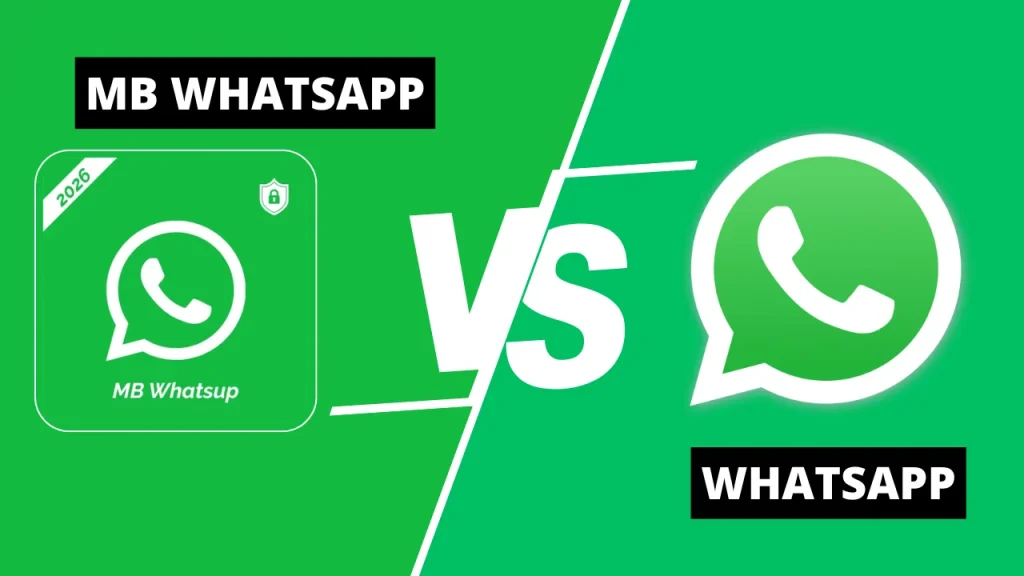
MB WhatsApp vs Official WhatsApp – Which Should You Choose?
Many users wonder if MB WhatsApp is better than the official WhatsApp app. Both apps have their own advantages and features. Let’s compare them so you can decide which is right for you. MB WhatsApp offers more features for free, while official WhatsApp focuses on simplicity and official support.
| Feature | MB WhatsApp | Official WhatsApp |
|---|---|---|
| Cost | Free | Free (with paid plans) |
| Message Translator | Yes | No |
| No Ads | Yes | Yes |
| App Lock | Yes | No |
| Status Downloader | Yes | No |
| Voice Changer | Yes | No |
| Message Scheduling | Yes | No |
| Hide Online Status | Yes | No |
| Custom Themes | Yes | Limited |
| Send Large Files | Yes | No |
| Read Receipt Control | Yes | No |
| Disappearing Messages | Yes | Yes |
| Voice and Video Calls | Yes | Yes |
| End-to-End Encryption | Yes | Yes |
Download MB WhatsApp from MBWhatsup.com and experience more freedom and control over your messaging.
MB WhatsApp APK vs. Other Apps
- MB WhatsApp vs Official WhatsApp | Complete Comparison 2026
- MB WhatsApp vs OG WhatsApp | Complete Comparison 2026
- MB WhatsApp vs FM WhatsApp | Complete Comparison 2026
- MB WhatsApp vs Yo WhatsApp | Which is Better in 2026?
- MB WhatsApp vs WhatsApp Plus | Which is Better in 2026?
Official WhatsApp Subscription Plans
Official WhatsApp offers paid plans for business users:
These plans add tools for business communication and customer service.
With MB WhatsApp iOS 2026, you can get all features for free without any subscription and additional cost.
MB WhatsApp iOS Features 3.2.0
Hide Last Seen
Your last seen time is hidden from everyone on MB WhatsApp. You can use the app and chat with friends, but they won’t know when you were online. This feature gives you privacy and lets you use WhatsApp without pressure. No one will interrupt you thinking you’re busy.
Advanced Privacy Settings
Control who sees your profile photo, status, and About section. You can hide your information from all contacts or specific people. Your personal information stays safe and private. No one can see what you don’t want to share.
Custom Themes and Skins
Make your MB WhatsApp look exactly how you want. Choose from many pre-made themes or create your own design. You can select colors and styles that match your personality. Every time you open the app, it will look beautiful and unique.
Message Scheduling
Write a message now and send it later. The app will send it automatically at the right time. You don’t need to do anything when the time comes. This is perfect for sending birthday wishes or reminders.
Extended Multimedia
Send large videos and photos without losing quality. Your files stay clear and sharp every time. You can easily share large files without problems. Your memories and documents look perfect when your friends receive them.
Anti-Ban Protection
Your account stays safe and active at all times. MB WhatsApp protects you from being blocked by WhatsApp officials. You can use the app without worry or fear. Your account will continue to work without problems.
Dual MB WhatsApp Accounts
Use two MB WhatsApp accounts on one phone at the same time. You can have work and personal accounts side by side. Switch between them quickly and easily. This is perfect for managing your work and personal life.
Backup and Restore Chats
Automatically save all your messages and photos. If you get a new phone, easily recover all your old chats. You will never lose your important messages and memories. All your conversations stay safe and protected.
Floating Chat Bubbles
See your chats as small bubbles floating on your screen. Reply to messages without leaving other apps you’re using. You can talk to people while working. Chatting with friends becomes much easier and faster.
Blue Tick Control
Hide the blue ticks that show you’ve read a message. Your friends won’t know if you’ve seen their message. You have total control over this feature. You can change it at any time.
More Advanced MBiOS Features
Download Feature
Save photos and videos from your friends’ status on your phone. Download them in seconds with a single tap. Keep good moments and memories safe forever. You can relive them at any time without asking permission.
Voice Message Speed Control
Listen to voice messages faster or slower than normal. Save time when listening to long messages from friends. Choose the speed that works best for you. This helps you understand messages better when needed.
Group Administration Tools
Control your group chats and stop inappropriate behavior. Stop people from sending messages if you want. Keep your groups organized and spam-free. Manage your group with power and complete control.
Call Recording
Save all your calls on your phone to listen to later. You can listen to important calls again and again. Keep your business and family calls safe. This helps you remember important information from calls.
Text Formatting Options
Use bold, small, or strikethrough text in your messages. Highlight important words and make them look good. Write messages that look professional and organized. Your messages will be much more attractive and easy to read.
Auto-Reply Messages
Send automatic messages when you’re busy or sleeping. Choose different messages for different times and situations. People will know you’re not available to talk. Your friends and family will be informed about your status.
App Lock and Security
Lock MB WhatsApp with your fingerprint or face. Add a secret code for extra protection. Only you can open the app and see your messages. Your privacy is protected with the strongest security methods.
Status Privacy Control
Choose who can see your status updates every day. Show your status to some people and hide it from others. You choose who sees your daily life and activities. Only share your life with people you trust.
Custom Notification Sounds
Use different sounds for different friends and groups. You’ll know who’s messaging you just by the sound. Each person has their own special notification tone. You’ll recognize who’s trying to reach you immediately.
Typing Indicator Control
Hide the typing indicator while you type. People won’t know you’re writing a message. Write slowly, without feeling rushed or pressured. You’ll have time to think and write the perfect message.
Note: Download MB WhatsApp 3.2.0 from MBWhatsup.com and enjoy all these amazing features today!
How to Use MB WhatsApp Alongside Regular WhatsApp?
You can use both apps on the same phone at the same time. Install MB WhatsApp and keep regular WhatsApp installed.
Simple Steps:
- Keep Both Apps – Don’t uninstall regular WhatsApp. Keep both apps on your phone.
- Use Different Numbers – Use one number for regular WhatsApp, another for MB WhatsApp
- Set Up Notifications – Enable notifications for both apps with different sounds
- Switch Easily – Switch between apps at any time
- Sync Contacts – Both apps automatically use your contact list
- Manage Storage – Keep enough space for both apps and data
- Update Both – Update both apps regularly from their sources
- Organize Better – Keep work chats in one app and personal chats in another
How to Backup and Restore Your MB WhatsApp Data
Save your chats and restore them when you need them. Your backup keeps all your messages and photos safe.
Steps to Backup:
- Open Settings – Go to the MB WhatsApp settings menu
- Find Backup – Look for the Backup or Chats option
- Create Backup – Tap Create Backup or Copy to Google Drive
- Choose Location – Save to Google Drive or phone storage
- Set Auto Backup – Enable daily or weekly automatic backups
- Verify Backup – Check the date and size of the backup to confirm it’s complete
Steps to Restore:
- Install the App – Download MB WhatsApp on your new phone
- Log In – Enter your phone number to log in
- Select Backup – Choose your backup file to restore
- Wait – Don’t close the app while restoring your data
- Verify Chats – Verify that all messages and photos are back
- Update App – Update to the latest version after restoration
How to Use MB WhatsApp Safely
Security keeps your chats private and protected. Follow these simple steps to protect your account.
Security Tips:
- Enable App Lock – Lock the app with your fingerprint or password
- Hide Online Status – Enable the Hide Last Seen feature
- Control Read Receipts – Hide the blue ticks from contacts
- Use Privacy Settings – Hide profile photo and status from certain people
- Download Safely – Always download from MBWhatsup.com
- Update Regularly – Keep the app updated to the latest version
- Use a Strong Password – Create a password with numbers and letters
- Secure Your Backup – Keep your backup code secret
- Avoid Public WiFi – Use mobile data for important chats
- Lock Important Chats – Set a password for private conversations
Is MB WhatsApp Legal?
MB WhatsApp is not illegal to use. It is a modified version of the official WhatsApp app. It does not follow WhatsApp’s official rules and policies.
What This Means:
There is a risk that your account may face restrictions. WhatsApp officials may suspend your account temporarily or permanently. However, using MB WhatsApp will not cause you legal problems. You won’t go to jail or face serious legal action.
The Reality:
Using MB WhatsApp violates the app’s terms of service. It does not violate the law. You use it at your own risk. Your account could be restricted, but you won’t face criminal charges.
How to Stay Safe:
MB WhatsApp Version History (v1.0 – v3.2.0)
Version | Year | Main Features |
|---|---|---|
v1.0 | 2020 | First version, basic functions, simple interface |
v1.2 | 2020 | Themes added, better chat options |
v1.4 | 2021 | New privacy settings, hide online status |
v1.6 | 2021 | Better file sharing, more themes added |
v1.8 | 2021 | Improved speed, fixed bugs, smoother experience |
v2.0 | 2022 | Major update, new design, better privacy tools |
v2.1 | 2022 | Ghost mode added, hide blue ticks |
v2.2 | 2022 | Better app lock, chat lock features |
v2.3 | 2023 | More customization, new fonts and styles |
v2.4 | 2023 | Faster messages, improved backups |
v2.5 | 2024 | Anti-block protection, better security |
v2.6 | 2024 | New themes, improved Do Not Disturb mode |
v2.7 | 2025 | Advanced privacy controls, faster performance |
v3.2.0 (Latest) | 2026 | More stable, better ban protection, very fast, new features |
What Each Version Offers:
- Versions 1.0 to 1.8 – These are the early versions with basic functions. Each update adds new themes and improves speed.
- Versions 2.0 to 2.4 – These bring important improvements with better privacy tools, ghost mode, and customization options.
- Versions 2.5 to 2.7 – These focus on security with anti-block protection and advanced privacy controls.
- Version 3.2.0 – This is the newest version available at MBWhatsup.com. It offers the greatest stability, the strongest ban protection, the fastest speed, and the latest features.
MB WhatsApp Troubleshooting: Common Issues and Solutions
We have listed the most common MB WhatsApp issues and how to fix them. These solutions work with version v3.2.0 from MBWhatsup.com.
Issue 1: MB WhatsApp APK Won’t Install
Solution:
- Go to Settings → Security
- Enable Unknown Sources
- Temporarily disable Google Play Protect
- Download the APK again from MBWhatsup.com
- Install it on your phone
Issue 2: Not Receiving Verification SMS After Installation
Solution:
- Verify that you entered the correct country code
- Wait 2 minutes and try again
- Use the «Call Me» option if SMS doesn’t arrive
- Restart your phone with the SIM in Slot 1
- Try verification again
Issue 3: MB WhatsApp Closes or Freezes
Solution:
- Go to Settings → Apps → MB WhatsApp
- Tap Clear Cache
- If the problem continues, back up your data
- Uninstall the app completely
- Download and install the latest version v3.2.0 from MBWhatsup.com
Issue 4: MB WhatsApp Won’t Link via QR Code
Solution:
- Open MB WhatsApp
- Tap the three dots → Linked Devices
- Make sure your internet is stable
- Refresh the QR code at web.whatsapp.com
- Scan it within 20 seconds
- Clear browser cookies if it fails
- Try again in Chrome browser
Update to version 3.2.0 to fix most issues with QR codes.
Quick Fix Table: 10 Common Issues
Issue | Quick Fix |
|---|---|
App won’t download | Check internet connection, use stable WiFi |
Installation failed | Enable Unknown Sources in Security settings |
Account blocked | Wait 24 hours, use official backup, reinstall from MBWhatsup.com |
Messages won’t send | Check internet, restart app, clear cache |
Notifications not working | Go to Settings → Notifications → Enable all |
Old chats missing | Restore from backup in Settings → Chats → Backup |
Can’t share files | Check storage permissions in phone settings |
App updates itself | Download only from MBWhatsup.com, avoid Play Store |
Camera not working in chat | Grant camera permission in Settings → Apps → Permissions |
Battery drains fast | Disable auto-download, reduce background activity |
Pros and Cons of MB WhatsApp
Pros | Cons |
|---|---|
No ads in the app | Not on Google Play Store |
Advanced privacy features | No official support |
Many themes to customize | May contain errors or bugs |
Completely free | Encryption not guaranteed |
Strong anti-block protection | Account can be suspended |
Built-in tools | Less stable than official app |
App lock and chat lock | Manual updates required |
Clean APK files online | You need to install from unknown sources |
No login issues | Security risks (modified app) |
Fast and functional | Data privacy not fully guaranteed |
Frequently Asked Questions – MBiOS
Conclusion
You can easily download the official MB WhatsApp by visiting MBWhatsup.com. Our goal is to provide you with a safe and reliable version of MB WhatsApp version 3.2.0. We want our users to have a smooth and secure messaging experience with all the latest features.
If you have questions or need help, contact us through MBWhatsup.com. You can also learn more about us in the About Us section. We share detailed guides, feature comparisons, and troubleshooting tips. This helps you enjoy a better and safer messaging experience.
Download MB WhatsApp version 3.2.0 today and enjoy all the amazing features!
